
You can control which AI companies use your website by adding a few lines to your robots.txt file: one group of rules per crawler, each naming a user agent and the paths it may or may not visit. The catch is that AI companies run several different bots, and blocking the wrong one can remove you from AI search results, while allowing the wrong one can let your pages be used for training. This guide explains the bots OpenAI, Anthropic and Google document, gives copy-ready rules for the common goals, and shows how to check that they work.
Step 1: Understand the three kinds of AI bot
AI companies use different bots for different jobs, and their documentation says the settings are independent of each other.
- Training crawlers collect pages that may be used to train future models. OpenAI documents GPTBot for this; Anthropic documents ClaudeBot. Blocking them signals that your future content should be excluded from training data.
- Search bots index pages so they can appear in AI search answers. OpenAI documents OAI-SearchBot for ChatGPT search features, and Anthropic documents Claude-SearchBot. Blocking them can make your site less visible in those answers.
- User-triggered fetchers open a page because a person asked a question about it. OpenAI documents ChatGPT-User and Anthropic documents Claude-User. OpenAI notes that for user-initiated actions robots.txt rules may not apply, and that ChatGPT-User is not used to decide whether content appears in Search.
Google works differently. Google-Extended is not a separate crawler: it is a robots.txt token that controls whether content Google already crawls may be used to train future Gemini models and to ground answers in Gemini Apps. Google says it does not affect inclusion or ranking in Google Search.
Step 2: Find or create your robots.txt file
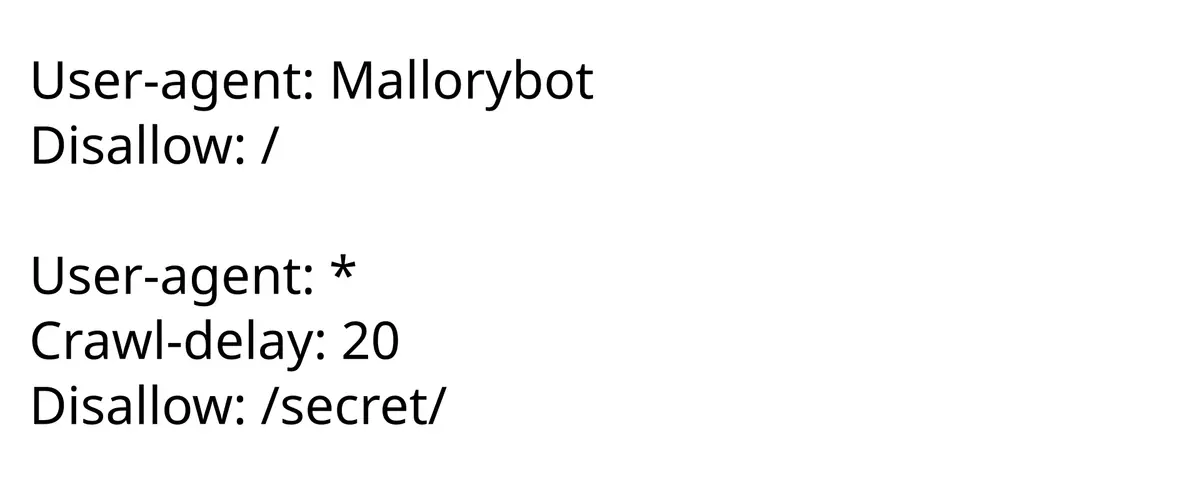
The file must sit at the root of each domain and subdomain, for example https://example.org/robots.txt. Open that address in a browser. If you see a file, edit it; if you see an error, create a plain text file named robots.txt and upload it to the site root. Anthropic’s guidance adds that you must do this for every subdomain you want to cover. Many website platforms offer a settings page or plugin for this instead of a file.
Step 3: Choose a goal and copy the rules
Goal A: opt out of AI training but stay visible in AI search
User-agent: GPTBot
Disallow: /

User-agent: ClaudeBot
Disallow: /

User-agent: Google-Extended
Disallow: /

User-agent: OAI-SearchBot
Allow: /

User-agent: Claude-SearchBot
Allow: /
This is the example OpenAI itself gives of mixing the settings: allow OAI-SearchBot to appear in search results while disallowing GPTBot to keep content out of foundation-model training.
Goal B: block everything AI-related
Add Disallow: / groups for GPTBot, OAI-SearchBot, ClaudeBot, Claude-SearchBot, Claude-User and Google-Extended. Expect less visibility in AI answers; both OpenAI and Anthropic say blocking their search bots can reduce your presence there.
Goal C: block only some sections
Use a path instead of the whole site, for example Disallow: /premium/ under the GPTBot group. Google’s documentation shows the same pattern with an allow line for one folder and a disallow for its parent.
Goal D: slow a crawler down
Anthropic says its bots support the non-standard Crawl-delay extension, for example User-agent: ClaudeBot followed by Crawl-delay: 1. Other companies may ignore it.
Step 4: Publish and wait
Upload the file and load it in a browser to confirm it shows the new rules. OpenAI notes that it can take around 24 hours after a robots.txt update for its search systems to adjust. Changes affect future crawling only: nothing already collected is removed.
Step 5: Verify in your logs
Look at your server or CDN logs for the bot names. OpenAI and Anthropic publish their crawlers’ user-agent strings, and OpenAI publishes IP ranges in JSON files you can use to confirm that a request is genuine. Anthropic warns that blocking by IP address may not work correctly and recommends robots.txt. Spoofed user agents exist, so for strict enforcement you need a firewall or CDN rule rather than robots.txt alone.
Step 6: Plan for the shared opt-out signal
On October 30, OpenAI, Google, Microsoft and Anthropic said they will adopt one shared robots.txt signal that expresses an AI-training preference to all of them at once. Anthropic supports it now; Google plans support in early 2027, Microsoft next year, and OpenAI in the “coming months.” Our report on the shared AI training opt-out has the details. Until every company supports it, keep the per-bot rules above.
Common mistakes
- Blocking Googlebot by accident. Googlebot is the search crawler. The AI-training control is Google-Extended.
- Assuming robots.txt is a lock. It is a request that well-behaved crawlers honor. The history of robots.txt explains why it has always worked on trust.
- Typos in the user-agent name. A misspelled name matches nothing, so the rule silently does nothing.
- Forgetting subdomains.
blog.example.orgneeds its own file. - Expecting retroactive removal. Opting out now does not delete data already collected.
What to watch next
- Final publication of the shared opt-out standard and the exact syntax.
- Documentation updates from OpenAI, Anthropic and Google; their bot lists change.
- New user agents from other AI companies.
- Tools from CDNs that enforce robots.txt preferences at the network edge.
Key takeaways
- AI companies run separate bots for training, search and user requests; set each one on purpose.
- Google-Extended is a robots.txt token, not a separate crawler, and does not affect Google Search.
- Blocking search bots may reduce visibility in AI answers.
- robots.txt is a request, not enforcement; use firewall rules if you need a hard block.
- Changes apply going forward and can take about a day to be picked up.
Frequently asked questions
Does blocking GPTBot remove my site from ChatGPT?
Not by itself. OpenAI says GPTBot relates to training, while OAI-SearchBot controls appearance in ChatGPT search results, and the two settings are independent.
Will Google-Extended hurt my Google Search ranking?
No. Google states that Google-Extended does not affect a site’s inclusion in Google Search and is not a ranking signal.
Do I need a separate robots.txt for each subdomain?
Yes. Anthropic’s guidance says to add the rules to the robots.txt of every subdomain you want to opt out.